 AI Summary Helper

Illustration, AI-generated
A read-later pile that
actually gets read.
AI Summary Helper is a free, open-source browser extension for Chrome and Firefox. It saves any page, summarizes it with your own AI key or a local model, and sends a digest of what you saved to your Kindle. No account needed. Your library stays in your browser.
Chrome on a phone can't install extensions. Send the link to your computer and add it there. Email it to me · Copy link
139 upvotes on Product Hunt · Open source · Made in the EU
Transcript · 0:19
- Pocket is gone.
- Now what?
- Save any page with one click, with a summary on top.
- Your library has tags and search, and sends to your Kindle.
- Free, and it all stays on your device.
What it is, what it costs, where your data goes
- Price
- Free. Optional Support Pass (€4.99/month or €29.94/year) for byphil Cloud models and unlimited Kindle sends.
- Platforms
- Chrome and Firefox on desktop. Android companion (Beta) for sharing links from your phone. Not available on iOS.
- AI models
- Your own key (OpenAI, Gemini, Mistral, DeepSeek or a custom endpoint), a local model with Ollama, or optional byphil Cloud.
- Where your library lives
- In your browser, on your device. No account, no server copy.
- What leaves the browser
- Only the text you ask to summarize, sent to the AI provider you chose. With a local model, nothing leaves your machine.
- Code
- Open source, on GitHub.
- Last checked
- 1 November 2026
Save it, understand it, read it where you want
1. Save in one click
Open any article, press the button, and it is in your library with a summary and tags. Search it later, even by a phrase you half remember.
2. Read the summary first
A short summary appears beside the article. Ask a follow-up and the answer points to the passage it came from, so you can check it.
3. Get a digest of your pile
Tap Digest: it picks five of your saves and sends them as one bundle to your Kindle or a device on your network. The first three Kindle sends are included.

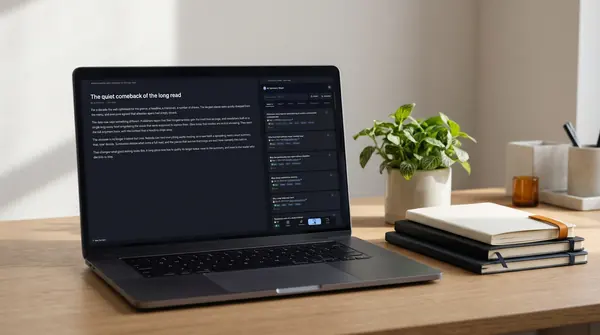
The pictures on this page are AI-generated illustrations, not photos of customers.
What changes, and what you give up
Pocket was announced as closing in May 2025 and shut down in July 2025. This is how AI Summary Helper differs, as of November 2026.
| Pocket (closed) | AI Summary Helper | |
|---|---|---|
| Where your saves live | On the service's servers | In your browser, on your device |
| Account | Required | Not needed |
| Reading offline | In its own app | Digest to Kindle or a device on your network |
| Can be switched off by someone else | Yes, and it was | No: open source, data on your device |
| What you give up | No web app and no iOS app. You need desktop Chrome or Firefox to save pages. The Android companion is in Beta. |
Not sure if this is the right kind of tool for you? Read the honest comparison of read-later tools, including the ones that are a better fit if you only want bookmarks.
Before you switch
Do I need an account?
No. Install it, bring your own AI provider key (or use a local Ollama model), and start saving. An account only matters if you want byphil Cloud.
Does it cost anything?
No. Everything works for free with your own key or a local model. A donation (the Support Pass) unlocks byphil Cloud models and unlimited Kindle sends.
What leaves my browser?
Only the text you ask to summarize, sent to the AI provider you chose. With a local model nothing leaves your machine. Your library itself stays on your device.
Can I send articles to my Kindle?
Yes. Digest bundles five of your saves and sends them to your Kindle or a device on your network. The first three Kindle sends are included; unlimited sends need the Support Pass.
What if I stop using it, or you stop?
Your library is stored in your browser and can be exported, so a shutdown of the service cannot take it away. The code is open source.
Can I use it on my phone?
Saving needs the browser extension on a computer. On Android, the companion app (Beta) lets you share links to it from your phone. iOS is not available yet.
There is more than a read-later pile: reading feeds, source checks, highlights. See everything AI Summary Helper does