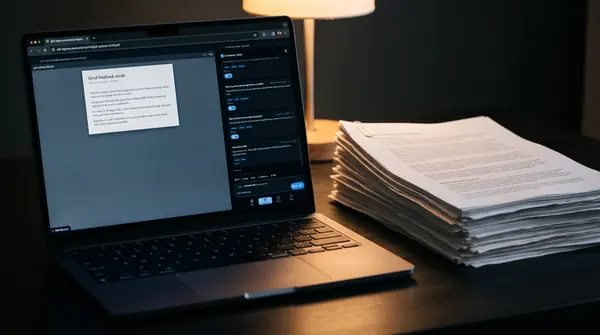
Illustration, AI-generated

For teaching, schools and libraries

Teach source checking,
with an AI you control.

AI Summary Helper is a free, open-source extension for Chrome and Firefox. It summarizes web pages and papers and backs every answer with the passage it came from. You choose the model: your own key or a local one with Ollama, no account needed.

Open source · No account needed · Made in the EU · Your choice of model · Add to Chrome

The pilot is free. Request it by e-mail, no form.

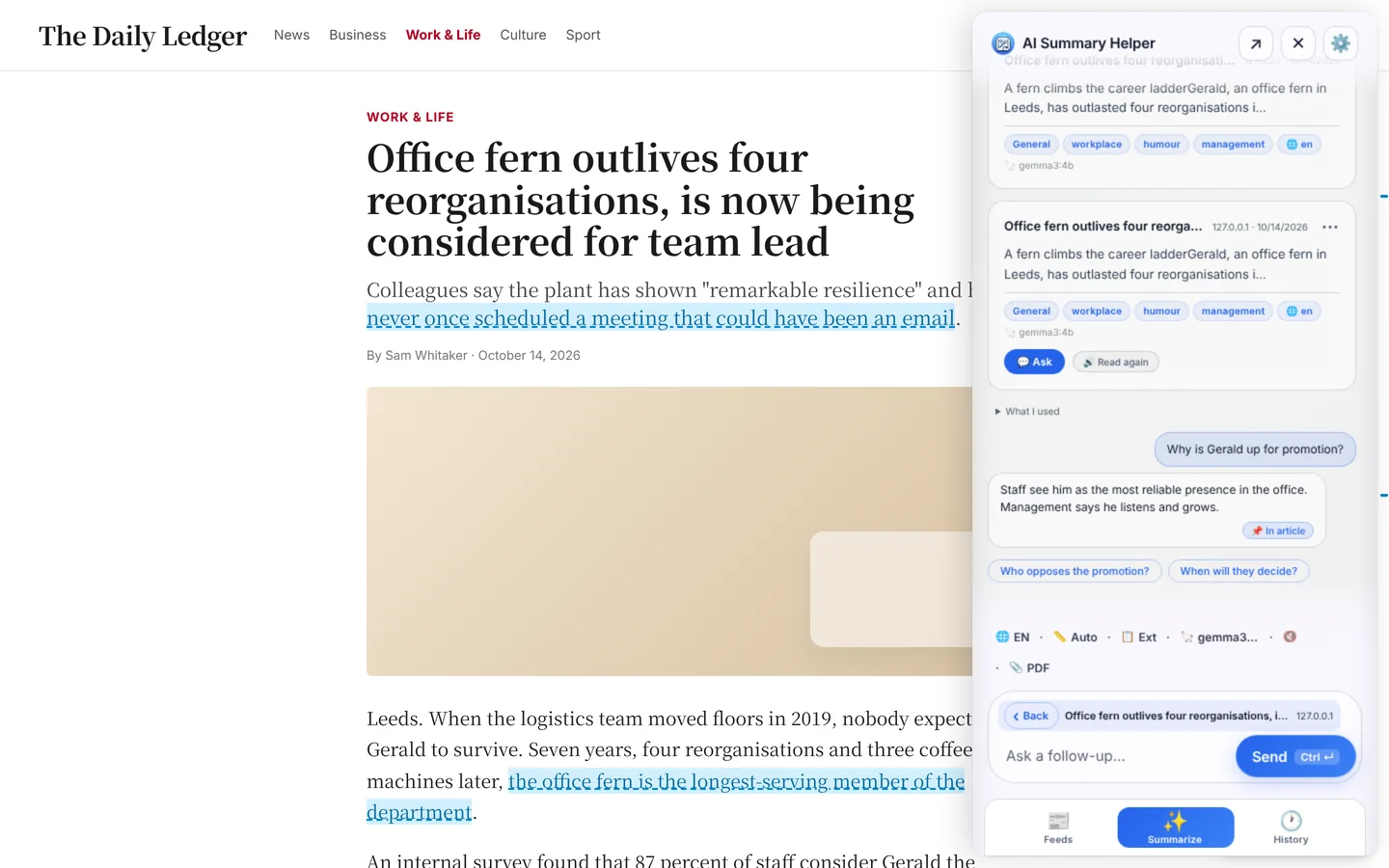
Check an answer against its source: one click takes you to the passage.

Transcript · 0:18

  • AI answers.
  • With receipts.
  • Ask follow-up questions.
  • Every answer points to the passage it came from.
Why now

The pitch in six steps, with sources

Four pieces of evidence, the real interface and, at the end, the demo to try.
  • 95 % AI is already part of student life of UK full-time undergraduates use AI in some form, and 94 % use generative AI for assessed work (1,054 students surveyed in December 2025). The numbers describe UK undergraduates, not every country. Source: HEPI and Kortext, Student Generative Artificial Intelligence Survey 2026 (HEPI Report 199), March 2026
  • 81 % The same picture in Germany and Austria use AI at least weekly (46.5 % daily), and 70 % want clear guidelines for ethical use and data protection. About 28,600 students were surveyed in winter semester 2025/26, mainly in business and law. The numbers do not apply to every subject. Source: CHE Centrum für Hochschulentwicklung, press release (in German), 22 July 2026
  • Location over content People remember where to find it When people expect to be able to look something up later, they remember the content less and remember where to find it more. With AI summaries the passage in the text should therefore always stay findable. Source: Sparrow, Liu & Wegner (2011), Science 333(6043), 776–778, doi.org/10.1126/science.1207745
  • Highlighting alone helps little Ask questions, not just highlight A review rated ten learning techniques: highlighting and underlining ended up in the group with the lowest utility, practice testing and spaced study at the top. That is why the tool lets you ask questions about your own highlights. Source: Dunlosky et al. (2013), Psychological Science in the Public Interest 14(1), 4–58, doi.org/10.1177/1529100612453266
  • Check, don’t just believe For every answer, the passage it rests on. Four lateral-reading questions per source, as hints. A model chosen by the institution, in the house if wanted. The tool makes no judgement for you, it makes checking concrete. Source code on GitHub · How to check an AI summary against its source
    Answer to a follow-up with a source reference and highlighted passages in the article
  • Open full screen ↗
    Try it yourself, then book the pilotThe real interface with a sample article, nothing is sent. The pilot is free and lasts six weeks.Request a pilot
Features for teaching

What matters most in schools and universities

All of this is in the extension today.
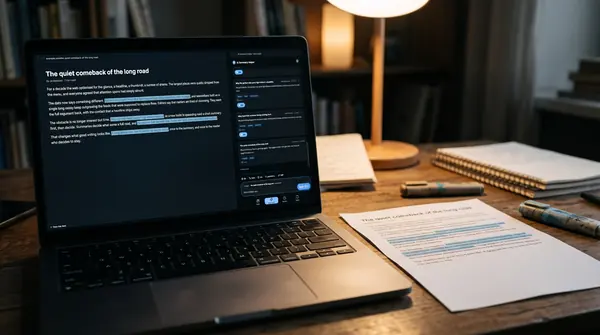
Illustration: a laptop on a wooden desk next to a printed page with blue-marked sentences, a lamp and shelves in the background
Highlighted passages in the article, the summary beside it.
Illustration: a monitor in a library carrel next to open books and sticky notes, a lamp beside it
Research mode: recognise and classify studies.
Illustration: a laptop next to a tall stack of printed report pages and a desk lamp
Long PDFs too: the summary in the side panel.

Evidence for every answer

Quotes that do not appear word for word in the text are dropped. A match shows that the passage is in the text, not that the model read it correctly. Reading the surrounding text stays part of the task.

Source check

Four lateral-reading questions accompany every source. They are hints for checking, not ratings.

Research mode

Studies are recognised by their DOI and labelled as study, review or preprint. The citation comes from the DOI registry, not from the AI.

Source comparison

Collect several articles on one question, classify each source and compare the summaries: where do they agree, where not, what is missing?

In the learners’ language

Summaries in the language learners choose. The original text stays visible beside it.

Read aloud

The summary is read aloud while it is still being written, with pause, mute and speed.

Who it is for

Who works with what, and where the AI runs

A walk through an educational institution. Page through the rooms or jump around in the building.

University students
Library
Teachers
Learners
School leadership and IT
AI in the house
Illustration: a person seen from behind at a library reading desk with laptop, books and notebookUniversity students

University students

For coursework and research: the summary beside the text, evidence passages, DOI citation and source comparison. The library stays on your own device.

Illustration: a person seen from behind at a desk with laptop, notes and pinboardTeaching support and libraries

Teaching support and libraries

For research training and courses: research mode, DOI citation and source comparison to demonstrate and practise.

Illustration: a teacher seen from behind at a desk in the empty classroom, laptop and a stack of worksheetsTeachers

Teachers

Show in class how to check an AI answer against its source. The evidence passage makes checking concrete.

Illustration: close-up of hands on a laptop keyboardSchool students

School students

Learners check an answer at its evidence passage instead of taking it over. They need no account, and the institution decides which model is used.

Illustration: two colleagues seen from behind in front of a laptop in a bright officeSchool leadership and IT

School leadership and IT

A browser extension without server installation. The institution decides which model is used and where text goes. The source code is public.

AI in the house

AI in the house

The institution can run a model on its own computer or server (for example through Ollama or its own endpoint). Then the text never leaves the house.

Sovereign cloud

Sovereign cloud

Instead of a server in the house, the institution can run a model in a cloud it selects and controls itself. We advise on choice, operation and connecting it to the extension.

External AI provider

External AI provider

If the institution chooses an external provider, the text goes to that provider: with your own key straight from the browser, or via byphil Cloud and OpenRouter. What exactly flows where is in the table below.

1 / 8
Data and model choice

You decide where text goes

Your own key
The text goes straight from the browser to the AI provider you chose (for example OpenAI, Gemini, Mistral or your own endpoint). The key stays on the device.
Local with Ollama
The model runs on your computer. No text leaves the device.
byphil Cloud (optional)
A hosted option without your own key. The request goes through our service and from there through OpenRouter (a US company) to the model. With the setting “Prefer EU servers”, only models with an endpoint in Europe are used. That limits where the model runs; the path through OpenRouter remains.
Library
Saved articles, highlights and notes are in the browser of the device. There is no account and no copy on a server.
Source code
Public on GitHub. Data protection officers can read what the extension does.
As of
1 November 2026
Advice

Also for running it in the house and in a sovereign cloud

The tool is free. If your institution would like support around it, we advise, remotely and on site in Germany.

Model and operation

Which model suits your institution, local or in the cloud, and what does that mean for computers and servers?

Sovereign cloud

Choosing and connecting a cloud your institution controls itself or runs with a provider of your choice.

Introduction

Plan a pilot, brief teachers, put together documents for your data protection officers. This does not replace legal advice or approvals.

Next

The roadmap for education

On the left what exists today, to the right what is planned and not built yet. We give no date, and your wishes count for the order.

  1. Today

    What already exists

    • Evidence passage and source check for every answer and every source.
    • Research mode and source comparison for studies and several sources.
    • Your choice of model own key, local or in the cloud.
    • Pilot and advice for institutions.
  2. Planned next

    Practise and teach

    • Quiz and flashcards from your own highlights and summaries.
    • Teaching unit “Is that true?” about ten minutes, openly licensed.
  3. Planned after that

    For whole institutions

    • Administration Seats and defaults managed centrally. Until then we hand out pilot seats by hand.
Pilot

Try it free for six weeks

The pilot is free. We hand out seats by hand for now. Write us briefly who you are and what you want to use the tool for. The e-mail opens with a template for you to fill in.

Your details go only by e-mail to info@byphil.eu.

Questions

Data protection and use

Do learners need an account?

No. The extension works without an account. You only need an account if you want to use byphil Cloud.

What leaves the browser?

Only the text someone has summarized, and only to the AI provider the institution chose. With a local model everything stays on the device. The library is in the browser.

Does it work with no cloud at all?

Yes, with a local model through Ollama. The computer needs enough power for the chosen model.

Does it meet the requirements of my school or university?

Your data protection officers have to assess that. That is why we state openly where data flows (see above), and the source code is public. We do not claim any approval by an authority.

What does it cost?

The extension is free, and so is the pilot. With your own key or a local model there are no costs with us. Costs at the AI provider follow its prices.

Is it open source?

Yes. The source code is public on GitHub.